So, you want to get into PC gaming. You want to join the race of PC gamers. Then this guide to how to put together a good PC will get you started...
Pricing and Budgets
One of the many perks of gaming on a PC rather than any other machine is that you have a choice of what you can put in your machine and how much you spend on cetain parts and if you want to spend more on one aspect of the PC and spend les on some others. However there are many parts to a PC that you probaly shouldnt cheap out on and parts that you can spend less money on. Here is a list of price points of different ranges of PC types:
100GBP - 500GBP= Low End (Very Affordable)
500GBP - 1000GBP= Mid-Range (Fairly Affordable)
1000GBP - 2000GBP= High-End (Fairly Expensive)
2000GBP - 5000GBP= Very High-End (Very Expensive)
5000GBP - 10,000GBP+= Exclusive (Most Expensive)

When putting together a PC there are around 9 to 10 parts that need to be bought to build the PC:
RAM,
CPU,
GPU
Motherboard
PSU
SSD or Hard Drive,
Case,
(Optional) AIO or Water Cooling
Operating System
Do keep in mind what you will be doing most on the computer. I reccomend that if you are mainly doing rendering or video editing or things that might include the Adobe Creative Cloud or Blender then you want to be spending more money on the CPU (central processing unit) than anything else. However if you will be using the machine for mainly gaming the I reccomend that you want to be spending more money on the GPU (graphics processing unit) than anything else. The reason for all of this is that the CPU is like the brain of the computer and is needed for creating things and loading and rendering things quickly. But on the other hand, the GPU is needed for puuting out high quality visuals and providing you with high frame-rates in game. Most normal, everyday computers dont have a GPU but almost all gaming computers do

Now lets talk about the other parts. The RAM (random access memory) are the two rectangular sticks that slot into somthing called a dim slot on the Motherboard. The ram carries out processes for the PC and it is the PCs short-term holder of data. The more programs that you have running, the more memory you will need (you can also call RAM memory). I reccomend that you have at least 8GB of RAM for your computer to run comfotably. The Motherboard is the main connector for the PC and it connects all of the parts together and mounts on the inside of the PC Case. The PSU (power supply unit) is what let the PC have power and converts main AC to low-voltage DC voltage so that all of the parts of the PC are not overloaded with too much power, because that becomes dangerous and can cause fire. As I said eirlier, the PSU is one of the parts (including the motherboard) that you dont want to be cheaping out on and you should always aim to have a Power Supply that a is at least 80+ Gold.
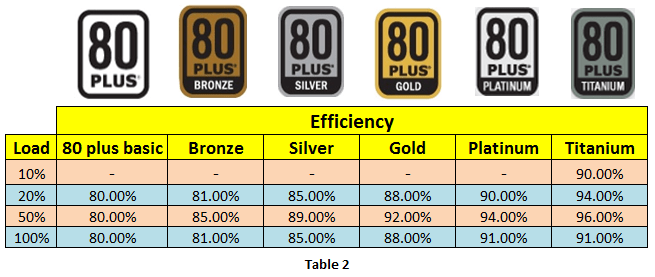
Always check the label for the 80+ sticker
The SSD (solid state drive) or Hard Drive is the long term memeory of the PC and contain everything that you download onto the PC. Once the Hard Drive or SSD is ful you either need to delete some of the content on it or buy some more storage. I would reccomend having at least 1TB of free storage for your computer and having your operating system on you fastest peice of storage. I would also reccomend getting an SSD because it is way faster than a Hard Drive and SSDs are cheaper than what they used to be. However, they still are more expensive than a Hard Drive. In a ideal setup you should have an SSD with your Operating System installed on it and a large Hard Drive with your appplications and games library installed on it and then some portable storage to keep projects and files on. Or one big SSD with everything on it, if you have the money. The Case should be the right size for all of your components and would usually be a mid-tower but if you want a more minimalist look, you can have a micro ATX case like my favorite, the motif monument. The AIO or Water Cooling which I say is optional beacause your CPU will usually come with a stock cooler and your case will have fans built in plus water cooling is very expensive (AIOs arnt). You shuld try and get a water cooler or AIO that is the same brand as your case because then they will be eisier to use and there wont be fitting problems. Now for the Operating System. If you want normal windows for your PC then at the muinite I would buy Windows 10 Pro from G2A you can get Windows for free though but it will have a watermark and many features will be restricted because it will be unactivated.
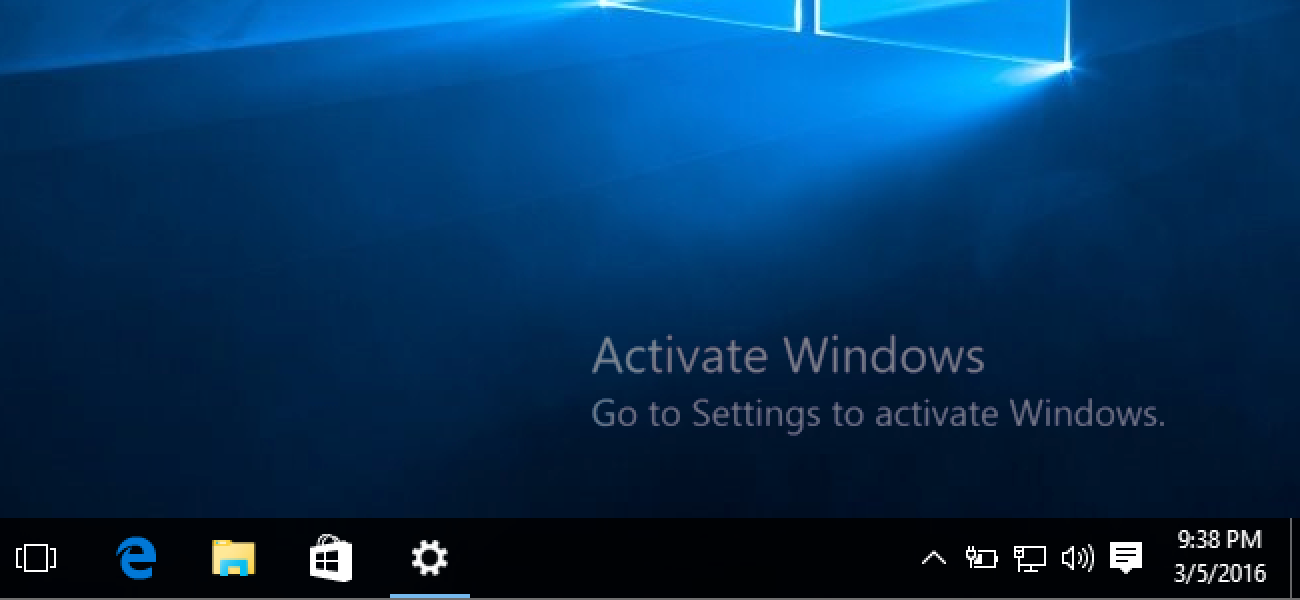
However if you want full, unrestiricted access to you computer and want to make you computer modigied to you and dont want to have to pay for an operating system the you can download linux for free. If you already have a MAC though then you can put the Mac OS on it or you can virualise it.