Peripherals
Welcome to
Periphrals are very important within PC gaming and it is important that you choose the right peripherals for you that are also within your budget. This can help with your accuracy in game and help with ergenomic comfortability
Keyboard
There are many keyboards to choose from that you can customise or you can build your own. It is usually very expensive to build your own but you can still do it. When buying a keyboard though there are 2 main things to think of and that is if the keyboard is mechanical or membrane. Usually a mechanical keyboard will be slightly more expensive than a memebrane but it will usually be higher quality and more tactile, whereas a membrane would be lower quality and more gummy with the keycaps wobbling a bit more but most of the time it is alot cheaper than a mechanical keyboard. However, you can get keyboards that are membrane but are made to feel like a mechanical keyboard and they are called "mecha-membrane". The Razer Ornata is one of these mecha membrane keyboards. When you have a normal mechanical keyboard then there are two main switches that the keys use, Cherry MX or Outemu. There are many other switches like Gatearon Clear and Kailh tactile but Cherry MX and Outemu are the main. Outemu is chaper and therfore usually on cheaper keyboards. Cherry MX is usually more expensive however and is usually on more expensive keyboards. Both switches are sorted by colours: red, black, brown, blue and silver.
| Colour | Behaviours | Used For |
|---|---|---|
| Red/Black | Linear | Gaming with minimal resistance |
| Brown | Tactile | Typing and gaming equally |
| Blue | Tactile and clicky | Typing |
| Silver | Linear | Gaming with medium resistance |
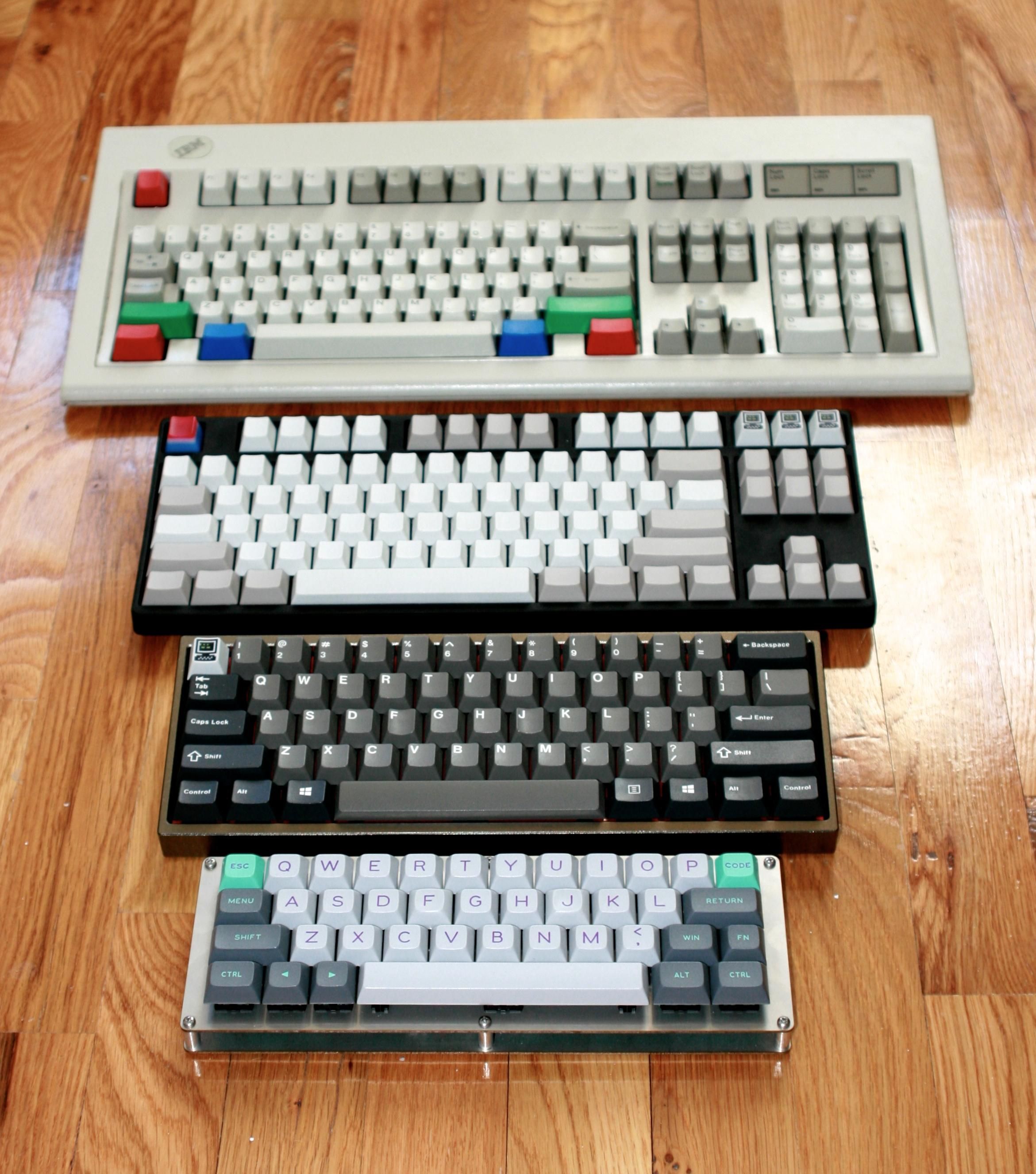
Keyboards also have different sizes: full size, tenkeyless, 60%, winkey, winkeyless, tenkeypad and 1.4u shift. All listed in order from smallest to biggest

Mouse
Mice vary way more than keyboards and there are so many types. An average mouse that you would see would have 2 large click buttons and a scroll wheel. Gaming mice usually have extra programmable side buttons that make it so you can replace hard to reach keyboard buttons with easy to reach side buttons on your mouse. Most gaming mice are also ambidextrian so they can be more widely used. Some mice can also have removable weights so you can adjust how heavy the mouse is or you can have adjustable dpi which controls how sensitive the mouse is.